

Velacarta
App for iPhone and iPad
Before you share, choose what to show.
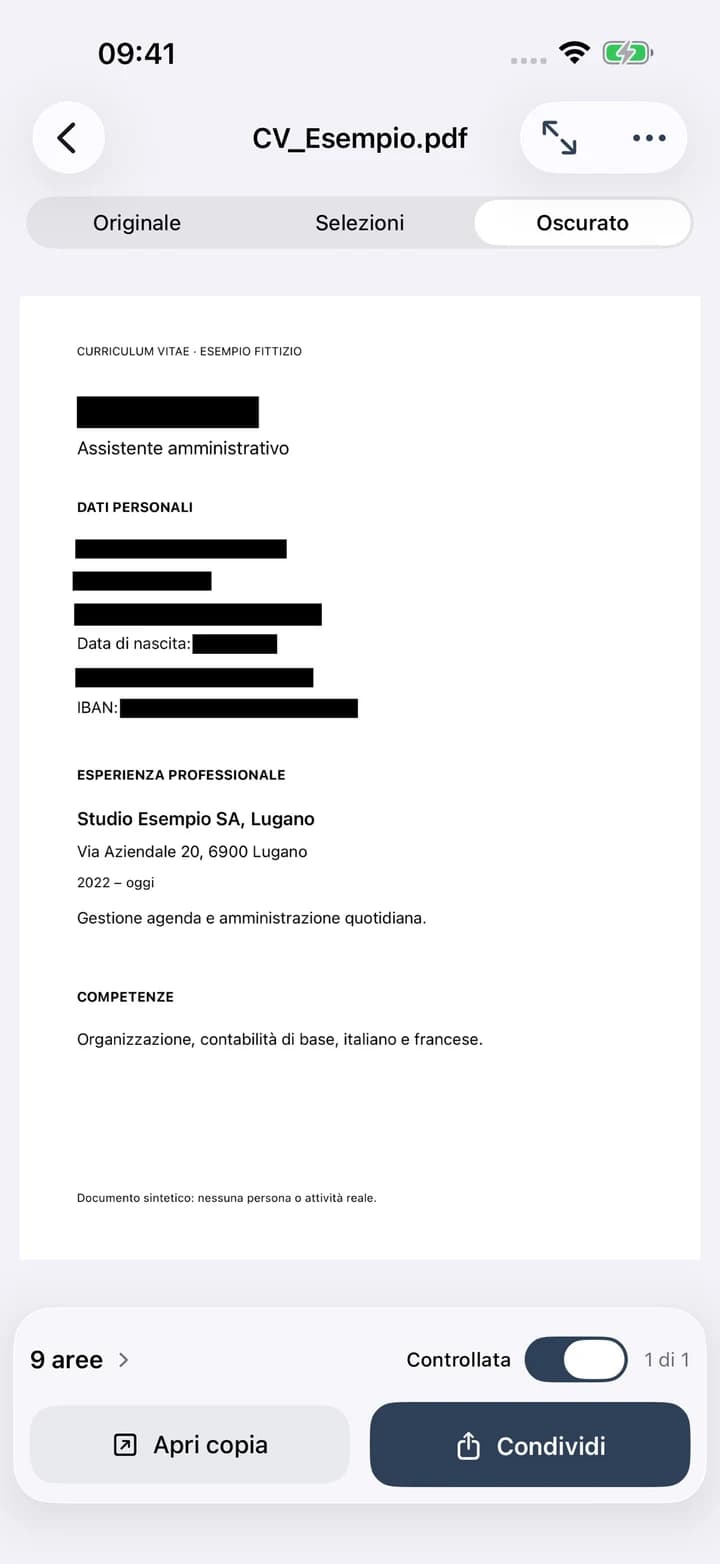
A CV, an invoice, a document for an AI service. Velacarta helps you identify personal information, review the areas to redact and create a PDF copy to share.
- Project
- An app by Nebello
- Year
- 2026
- Platforms
- iPhone / iPad
- Availability
- App Store
The project
Share the content. Choose which details to leave out.
When asking for help with a CV or using AI to work on a document, people often send the entire file. It may contain names, addresses, social insurance numbers or bank details that the request does not need. We built Velacarta around that moment: preparing a document before sending it.
The app suggests selections; the person reviews them. The original stays separate from the redacted copy, and the user decides where to share it.
You stay in control
From suggested areas to a redacted copy.
Review each page, remove an unnecessary selection or draw a missing area by hand. Save the copy once you have confirmed every page.
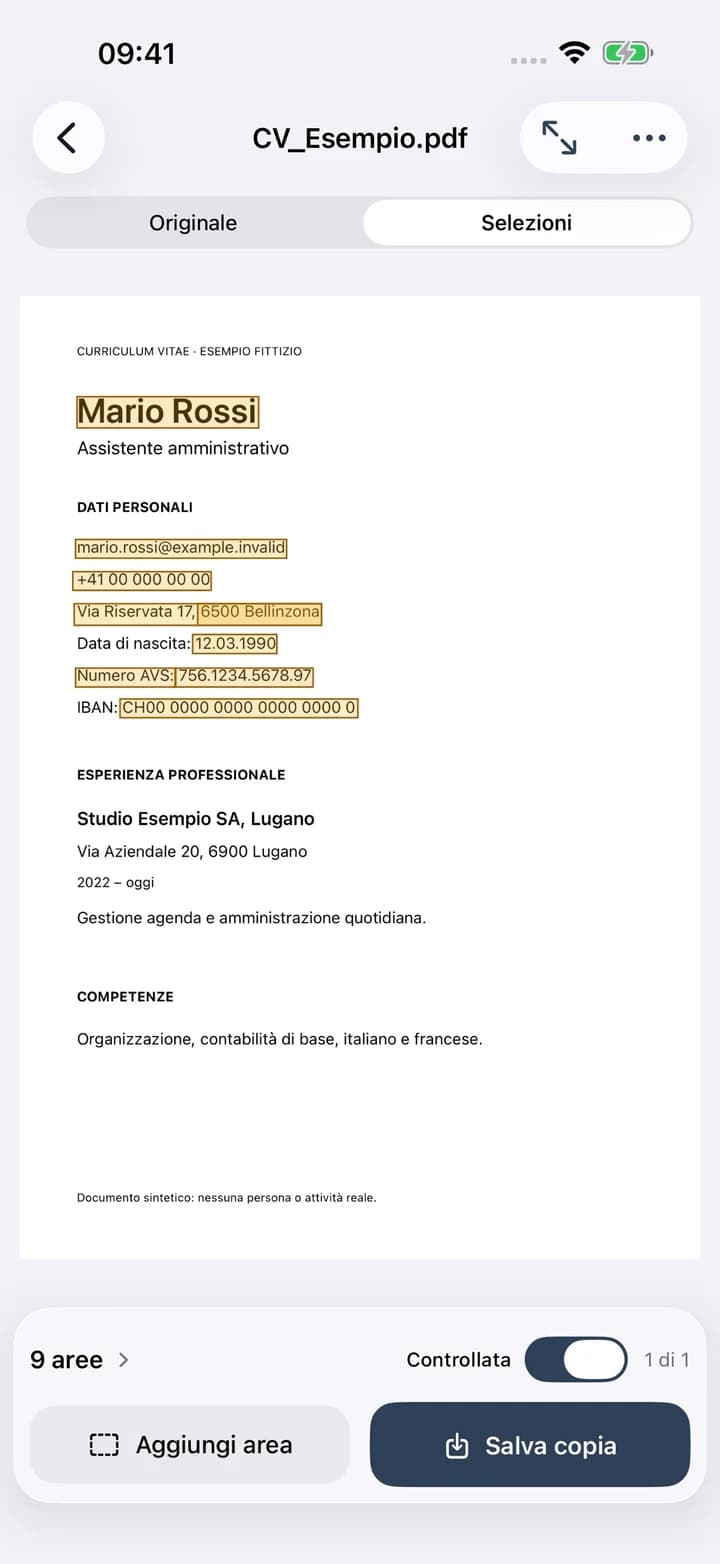
Official app screenshots. The CV shown contains fictional data.
Inside the app
From importing a file to sharing the copy.
Import your way
PDFs and images from Files, your photo library or the Share menu. Take a photo or scan several pages on compatible devices.
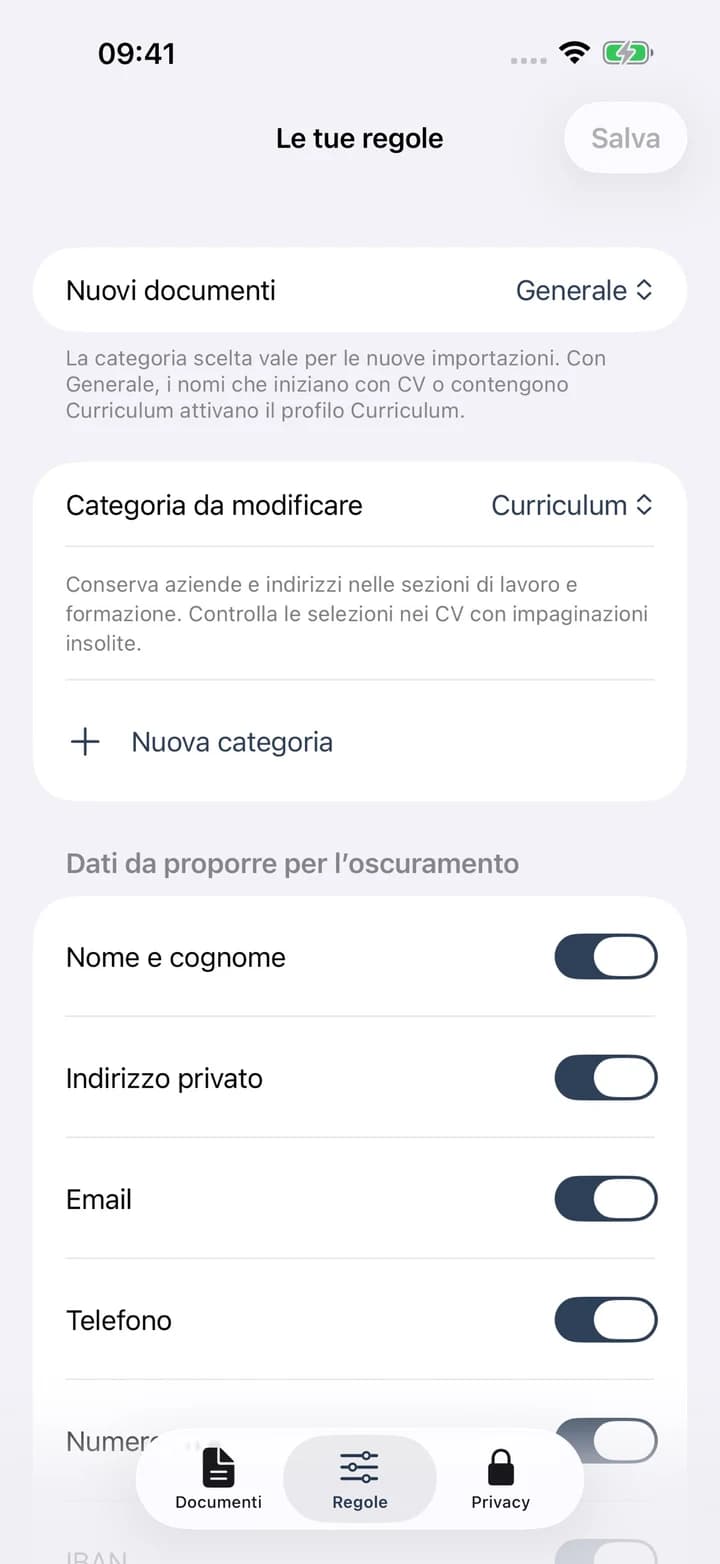
Choose the rules
Names, addresses, emails, phone numbers, Swiss social insurance numbers, IBANs and detected faces. Use General and CV categories, or create personal rules and phrases.
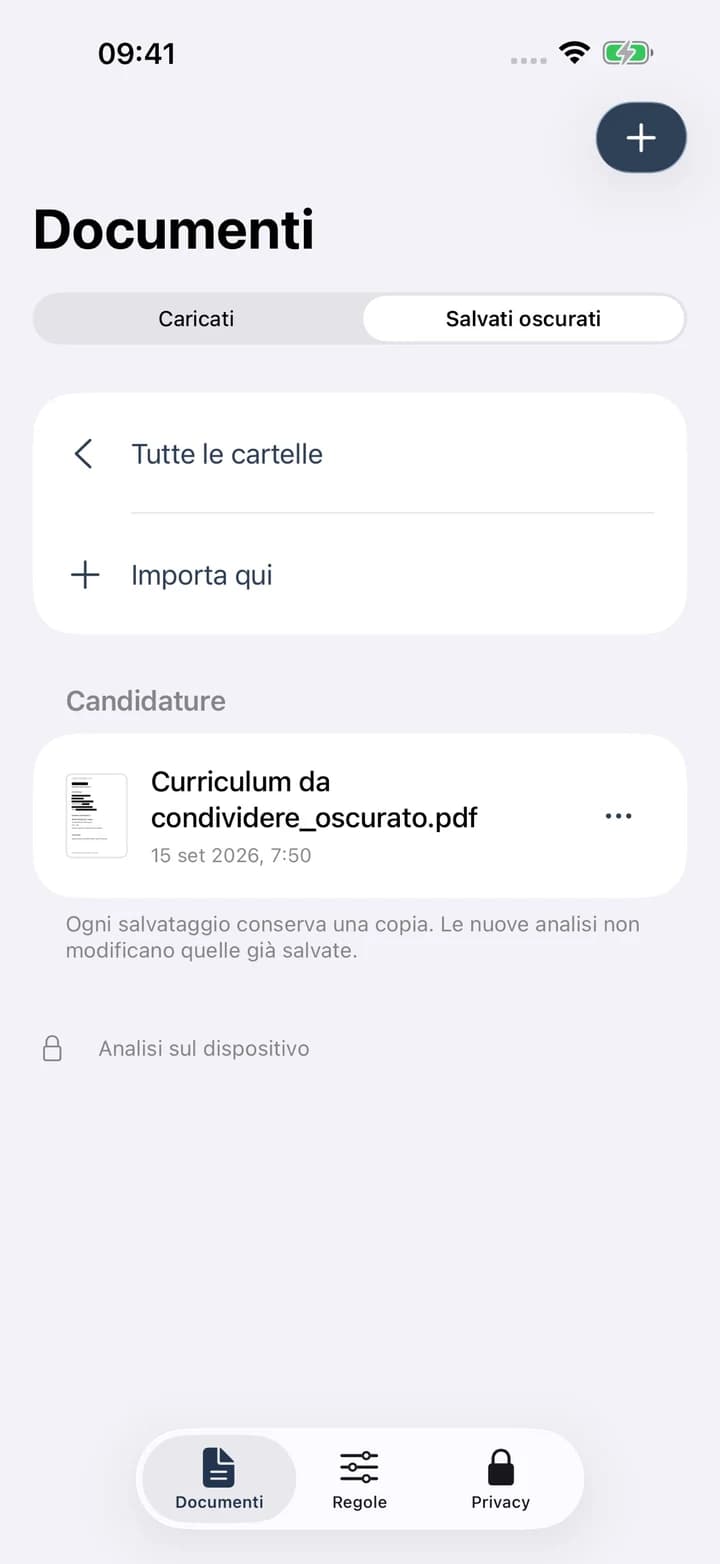
Organise the copies
Folders, editable names and an archive of redacted copies. Originals and exports stay separate.
Choose where to send
Save to Files or share with available apps. Velacarta never automatically sends your documents to an AI service.
On your device
Documents are processed on iPhone or iPad.
Analysis and redaction take place on the device. The app does not upload documents to servers, require an account or use your files to train models. Shared copies follow the settings of the destination you choose, including cloud services.
You can enable Face ID, Touch ID or passcode access, set an optional document expiry and use optional local memory for choices you explicitly confirm.
App privacy (Italian)Velacarta is on the App Store.
A Nebello product for preparing documents to share, with review under your control.
Let's Create Something Great Together!
Have a project in mind? Let's talk. The first consultation is free.